
Yes—your counter is ready to apply the Xuanjia Drop-Resistant Screen Protector when staff have a clear working surface, the correct phone model and film, a defined alignment sequence, and a post-installation inspection routine. Its anti-static AB adhesive is designed for one-pass air release, but reliable results still depend on controlled handling, accurate positioning, and checking the finished installation before returning the device.
What Makes an Application Counter Ready?
Reserve a flat, uncluttered area with enough room for the phone, protector, cleaning materials, and removed backing. The approved product data does not specify a minimum counter size, so buyers should set a practical standard based on their devices and store layout rather than assume a fixed footprint.
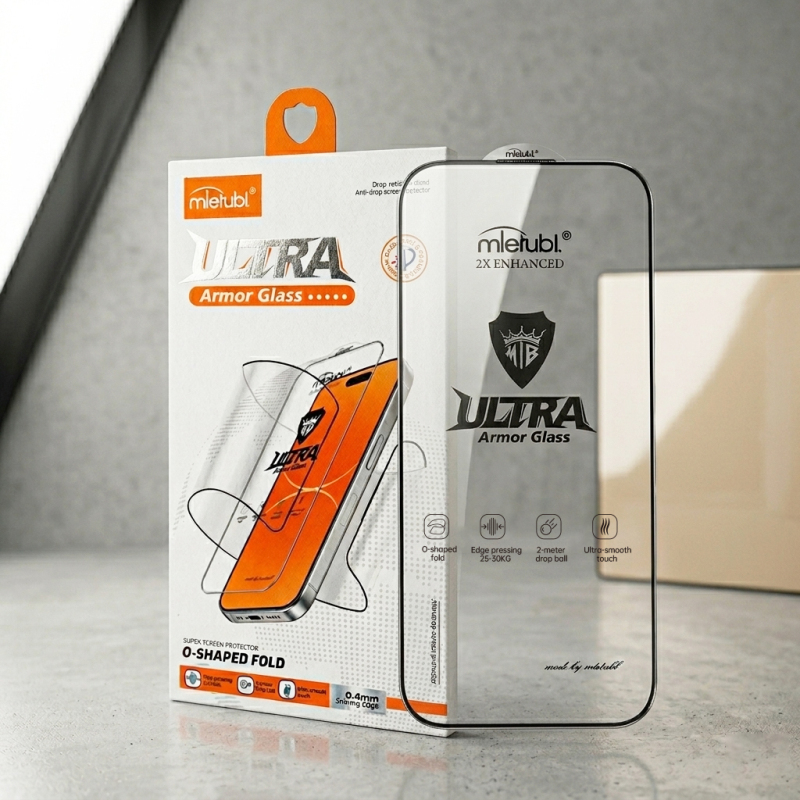
The working area should help staff avoid unnecessary movement once the protective backing has been removed. Keep unrelated packaging, tools, and customer items outside the immediate application zone. Buyers should also define local cleanliness and operating requirements in their SOP because no temperature or humidity limits are specified for this protector.
- Counter: Flat, clear, and separated from unrelated service work.
- Product match: Confirm the film and phone model before removing any backing.
- Handling: Minimize lifting, repositioning, and contact with the adhesive side.
- Inspection: Check display coverage, edges, touch response, and case fit.
What Staff Workflow Should Be Standardized?
The correct way to apply a phone screen protector should be written as a short, repeatable sequence. First, identify the exact device and confirm that the protector’s openings, printed border, and overall shape match it. Clean and prepare the screen using the approved materials in the buyer’s operating procedure.
Next, perform a dry alignment before exposing the adhesive. The Xuanjia protector uses a fine printed border developed from real-device sizing, intended to reach close to the display edge without creating a visible white edge. Staff should use the speaker area, corners, and screen perimeter as consistent alignment references.
After alignment, lower the protector evenly rather than repeatedly lifting it. The anti-static AB adhesive is designed to support one-pass self-exhausting air release, helping reduce bubbles and white edges. Staff should allow that feature to work before pressing or attempting corrections.
Which Fit and Operating Checks Matter After Installation?
Inspection should begin at the perimeter. Look for edge lift, trapped particles, persistent bubbles, or a border that covers part of the visible display. If the customer uses a case, install or test that case before completing the service. The approved selling points indicate compatibility with most phone cases, but buyers should still validate each case-and-device combination because case lip dimensions vary.
Then check basic touch operation across the screen. For supported Samsung models with under-display fingerprint unlocking, staff should test fingerprint response after installation. The product is optimized to maintain unlocking without requiring fingerprint re-enrollment, but verification at the counter remains the safer handover procedure.
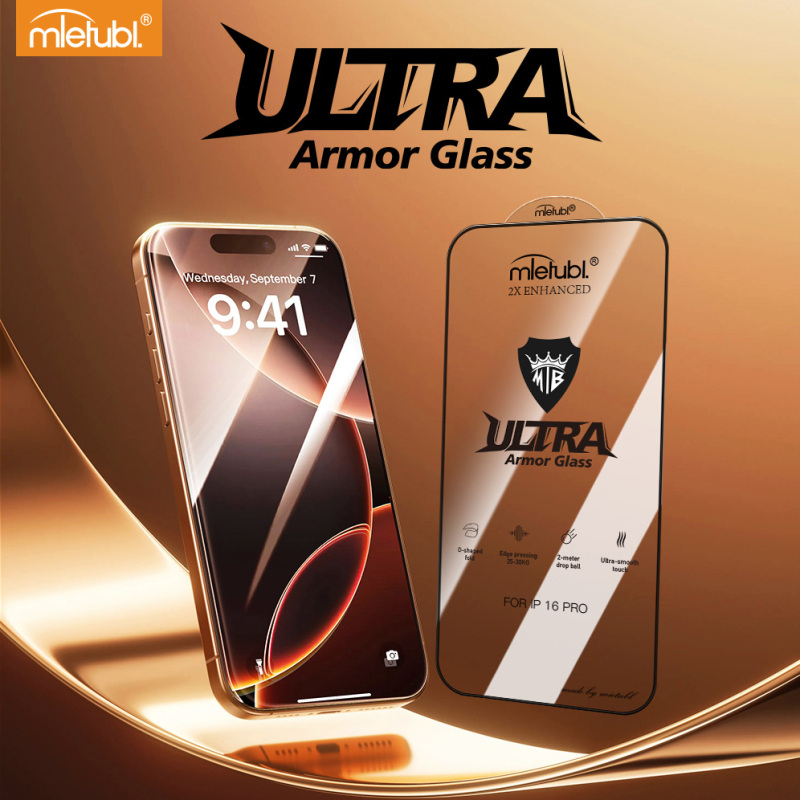
The double-strengthened high-alumina glass is designed for high flexibility, including O-shaped bending, which may reduce breakage during transportation and installation. Even so, staff should avoid using flexibility demonstrations as part of routine application unless the business has separately approved that practice.
How Should Buyers Validate Rollout Readiness?
Before deploying the protector across multiple counters or stores, run a controlled installation check with the actual phone models, cases, cleaning materials, and staff roles used in the business. Record where alignment errors, repeated lifting, or edge interference occur.
- Confirm that each model is clearly identified in storage and at the workstation.
- Train staff to dry-align before exposing the adhesive.
- Define when a bubble should be observed, corrected, or treated as a failed installation.
- Test representative cases and fingerprint-enabled devices.
- Use the same final inspection and customer handover checklist at every location.
A rollout should proceed only when different staff members can follow the same sequence and reach an acceptable result under normal counter conditions. Buyers may also consider customized packaging or cleaning sets where those options support clearer model control and a more consistent workflow.
Common Questions
Should staff press out bubbles immediately?
Allow the self-exhausting adhesive to begin releasing air first. Excessive pressing or repeated lifting may introduce handling variability, so corrective steps should follow the buyer’s tested SOP.
How can staff avoid applying the wrong protector?
Verify the phone model, protector shape, openings, and border alignment before removing the backing. Clear model labeling at the counter should be part of rollout preparation.
What should be tested before returning the phone?
Inspect the edges and visible display area, test touch response, confirm case fit when applicable, and check under-display fingerprint unlocking on relevant Samsung models.
Conclusion
The Xuanjia protector is suitable for a standardized counter workflow when buyers control model matching, alignment, handling, and final inspection. Validate the complete process with actual devices and cases before wider deployment, then train every operator to follow the same approved application sequence.
About Mietubl
Mietubl is a Guangzhou-based mobile accessories brand whose name reflects its guiding idea: Make It Easier To Use, Better Life. With roots in the mobile accessories industry dating to 1998 and the MIETUBL brand registered in 2010, the company focuses on products that make everyday digital use simpler and more practical.
Its portfolio includes screen protectors, intelligent screen protector cutting machines, film materials, data cables, chargers, power banks, and audio accessories. By combining design, product development, manufacturing, and channel support, Mietubl works with distributors and retailers serving a broad range of mobile accessory needs, with products exported to more than 120 countries and regions.
For product information, samples, or distribution opportunities, contact Marketing@mietubl.com or visit www.mietubl.com.
Was this article helpful?
Your feedback helps us improve future articles.