
Yes—the MTB-CUT M888 can be ready for a retail counter or small production station if the site can support its footprint, power input, material handling space, and staff workflow. This multifunction smart print-and-cut machine combines printing and contour cutting, which may reduce equipment handoffs. Buyers should still complete a location test and confirm operating constraints before deploying it across multiple stores.
Retail Deployment Readiness at a Glance
- Measure the full workstation: Allow for the machine, material loading, finished-output handling, and staff access rather than checking body dimensions alone.
- Verify local power: Match the supplied electrical requirements with each destination market and store circuit.
- Test the media workflow: Confirm that planned films, sticker media, photo paper, labels, or card materials fit the supported feed path.
- Standardize staff steps: Build a repeatable process around scanning, template selection, image preparation, printing, and cutting.
- Pilot before scaling: Run representative customer orders at one location before committing to a wider rollout.
Will the M888 Fit the Available Counter Space?
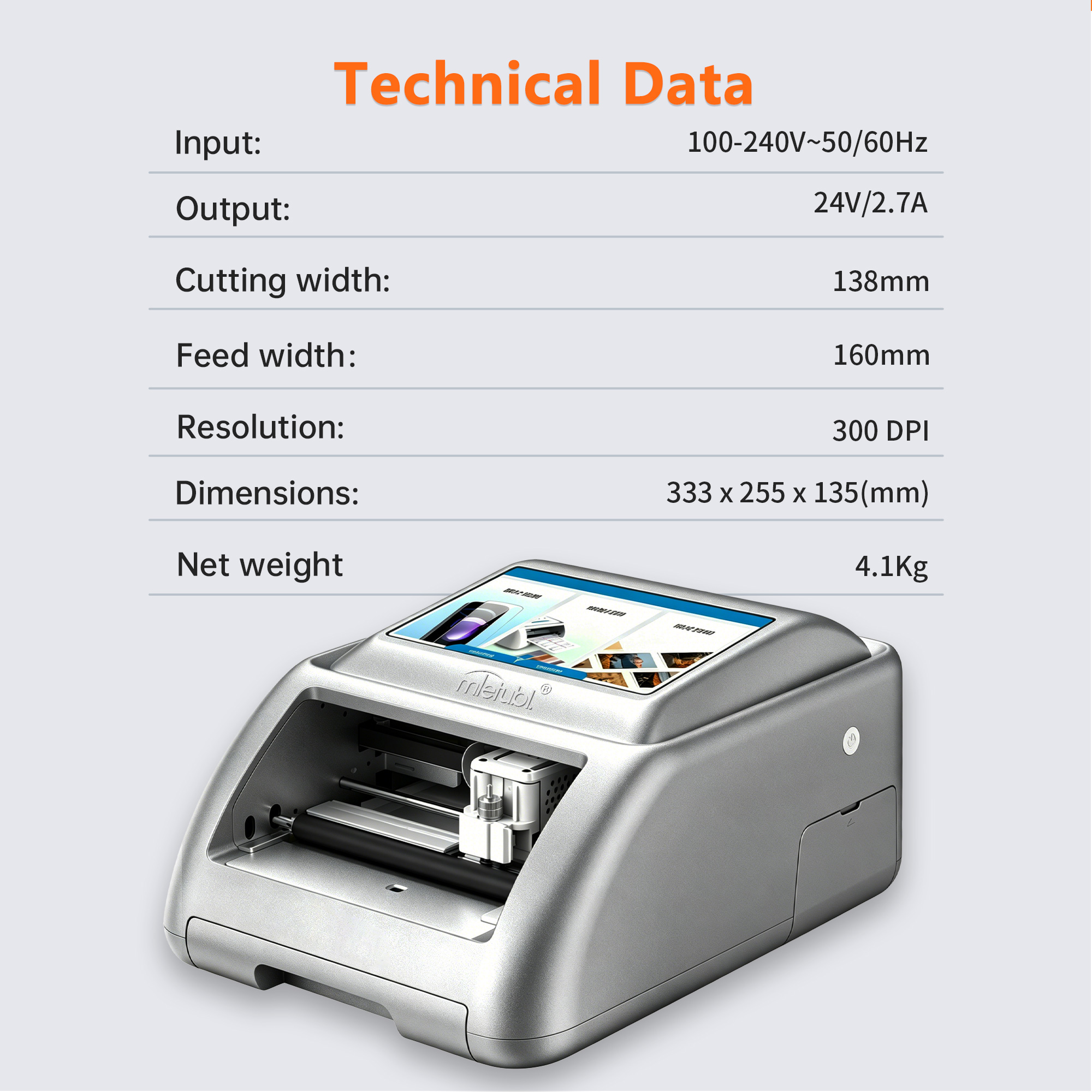
The machine body measures 333 × 255 × 135 mm and weighs 4.1 kg. Those figures indicate the physical area occupied by the unit, but they are not the complete workstation requirement. Buyers should also account for front and rear material movement, access to controls, cable routing, consumable storage, and a safe area for collecting completed work.
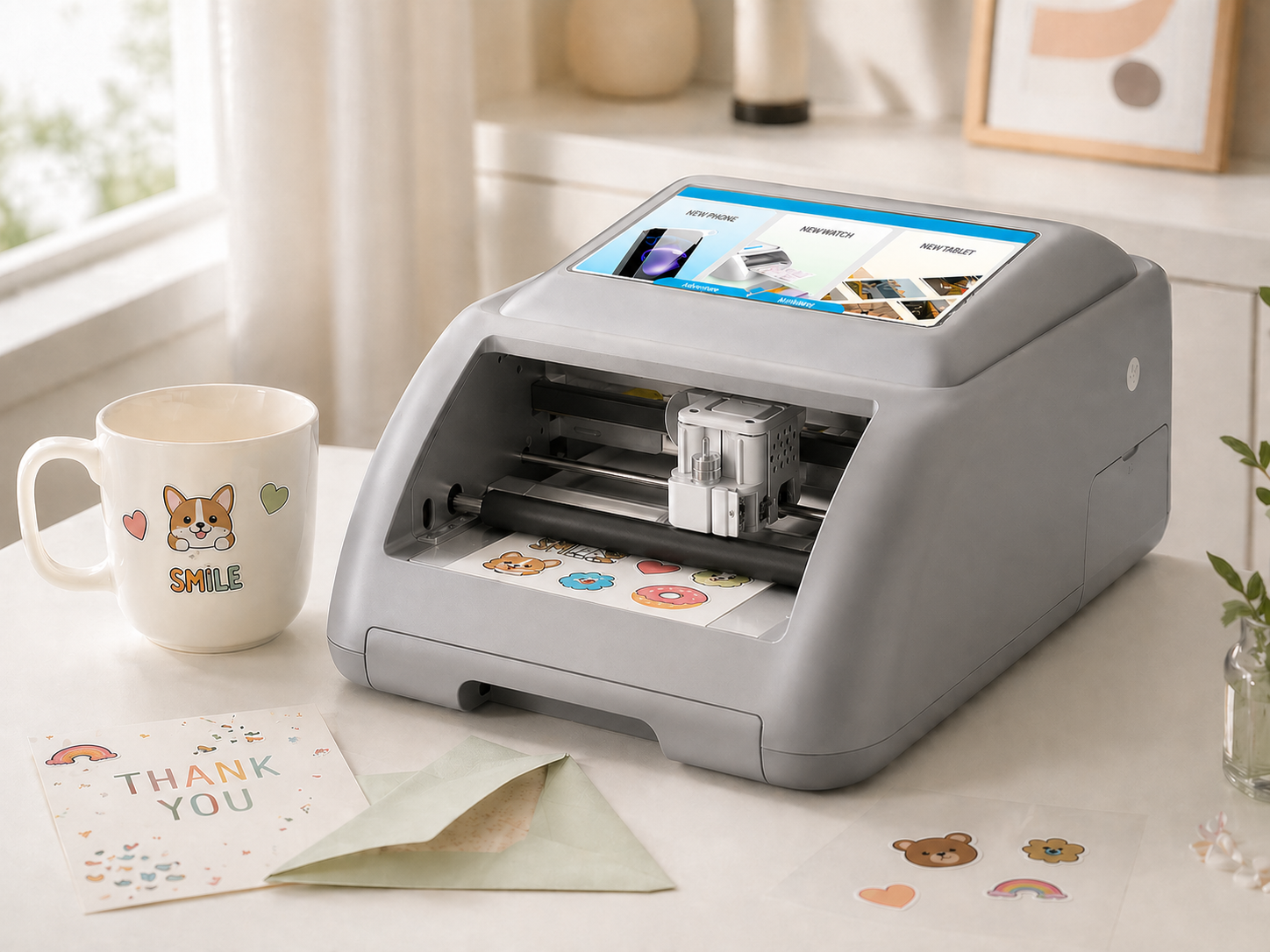
A paper size of 100 × 148 mm is listed, together with a 160 mm feed width and 138 mm cutting width. Counter planning should therefore be based on the actual material path, not simply the largest external dimension. A mock counter layout can reveal whether adjacent displays, payment terminals, or packaging areas interfere with loading and unloading.
Are the Power and Operating Conditions Suitable?
The M888 specifies a 100–240V, 50/60Hz input and a 24V/2.7A output. This broad input range may simplify deployment across different export markets, but buyers should confirm the included plug, adapter configuration, outlet position, and local electrical compliance for every destination.
No approved temperature or humidity range is provided for this model. Stores and workshops should therefore confirm environmental limits before placing the machine near direct sunlight, heat sources, strong airflow, moisture, or high-dust work areas. The rollout checklist should also define cleaning, shutdown, and material-storage procedures based on the selected consumables.
How Does It Change the Staff Workflow?
The M888 integrates printing and cutting in one machine, reducing the need to transfer a job between separate devices. It supports scan-based operation and includes templates, image upload, AI background removal, and AI-assisted design generation. These functions can help staff move from customer artwork to a prepared output within one workflow.
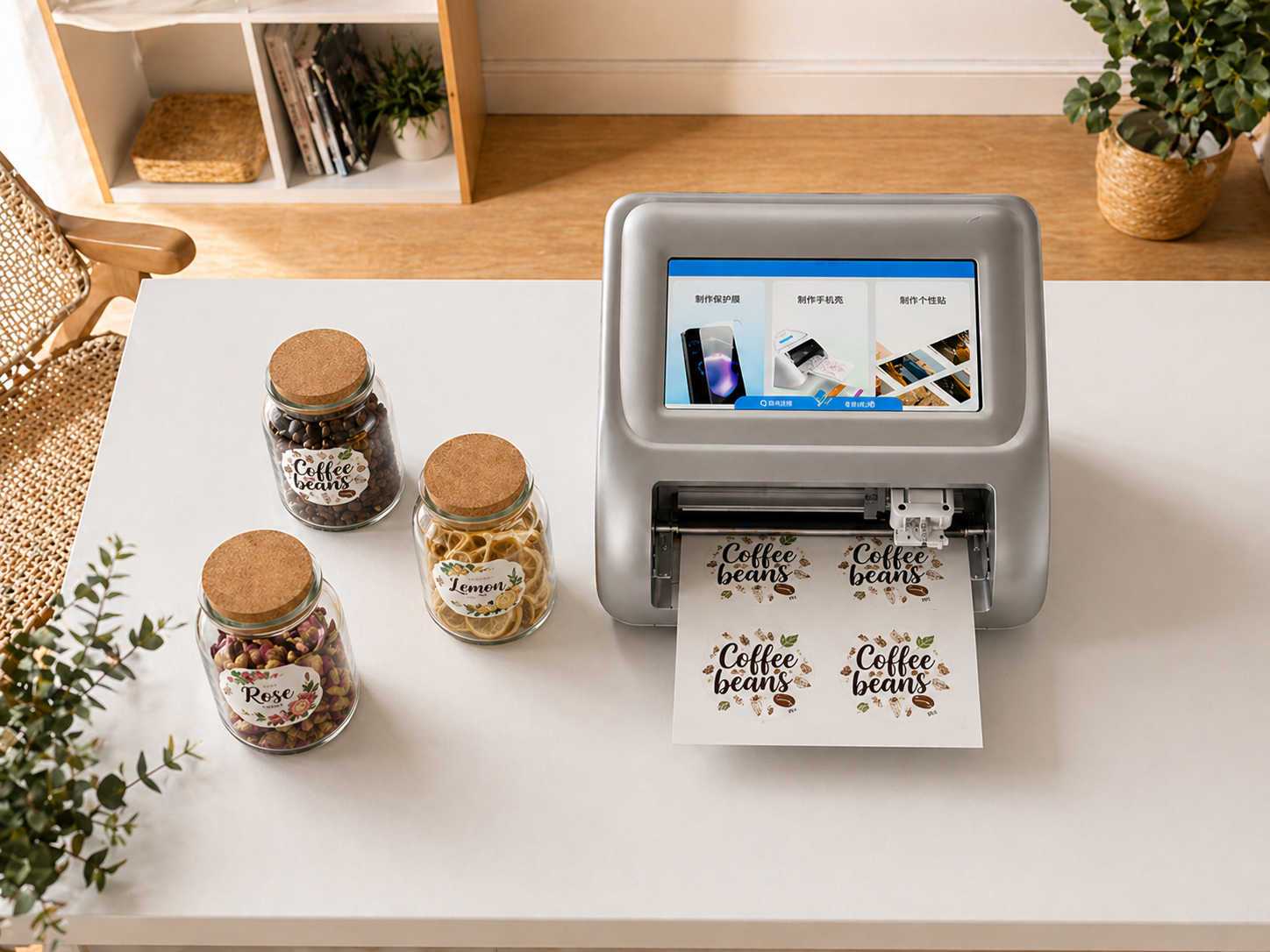
For consistent service, managers should decide which functions frontline employees may use and which require supervisor approval. A simple operating procedure can cover artwork intake, image review, template choice, print preparation, contour-cut confirmation, finished-product inspection, and customer handover. Training should use the store’s actual product menu rather than every available function at once.
Rollout Checks Before Multi-Store Deployment
- Build a representative job set. Test the products the business expects to sell, such as phone back films, protective films, photos, labels, stickers, or greeting cards.
- Check artwork preparation. Compare template-based jobs with uploaded customer images and background-removed designs.
- Observe staff handling. Record where employees hesitate, reload material, or require assistance.
- Inspect finished outputs. Define acceptable print appearance, contour alignment, edge condition, and material use for each product type.
- Document site requirements. Create one deployment sheet covering counter placement, power access, consumables, approved workflows, and opening checks.
A pilot should use normal retail conditions and realistic order variation. Buyers may then decide whether the machine belongs at every branch, selected high-volume locations, or a centralized workshop.
Common Questions
Can the M888 replace separate printing and cutting equipment?
It combines both functions in one unit, so it may replace a two-device workflow for supported jobs. Buyers should verify their required materials and finished-product formats during a pilot.
Is it suitable for employees with limited production experience?
Scan-based operation, built-in templates, and image tools can simplify preparation. However, stores should still provide standardized training and clear quality-control steps.
What should be confirmed if the machine will be used in several countries?
Confirm plug and adapter supply, local electrical requirements, interface and training needs, consumable availability, and environmental limits for each market.
Conclusion
The MTB-CUT M888 is a credible deployment option for retailers seeking a compact, integrated print-and-cut workflow, provided each site passes a practical counter, power, media, and staff-readiness check before rollout.
About Mietubl
Mietubl is a Guangzhou-based mobile accessories brand whose name reflects its guiding idea: Make It Easier To Use, Better Life. With roots in the mobile accessories industry dating to 1998 and the MIETUBL brand registered in 2010, the company focuses on products that make everyday digital use simpler and more practical.
Its portfolio includes screen protectors, intelligent screen protector cutting machines, film materials, data cables, chargers, power banks, and audio accessories. By combining design, product development, manufacturing, and channel support, Mietubl works with distributors and retailers serving a broad range of mobile accessory needs, with products exported to more than 120 countries and regions.
For product information, samples, or distribution opportunities, contact Marketing@mietubl.com or visit www.mietubl.com.
Was this article helpful?
Your feedback helps us improve future articles.