
A smart automatic sticker cutter fits an in-store workflow by turning a selected device template into a cut-to-model film, followed by application and UV curing at the same service station. The MTB-CUT M688 combines these three stages in one machine. However, printing is not listed among its functions, so buyers should treat it as a screen protector cutting, application, and curing platform rather than a print-and-cut sticker printer.
How the Store Workflow Starts With Model Selection
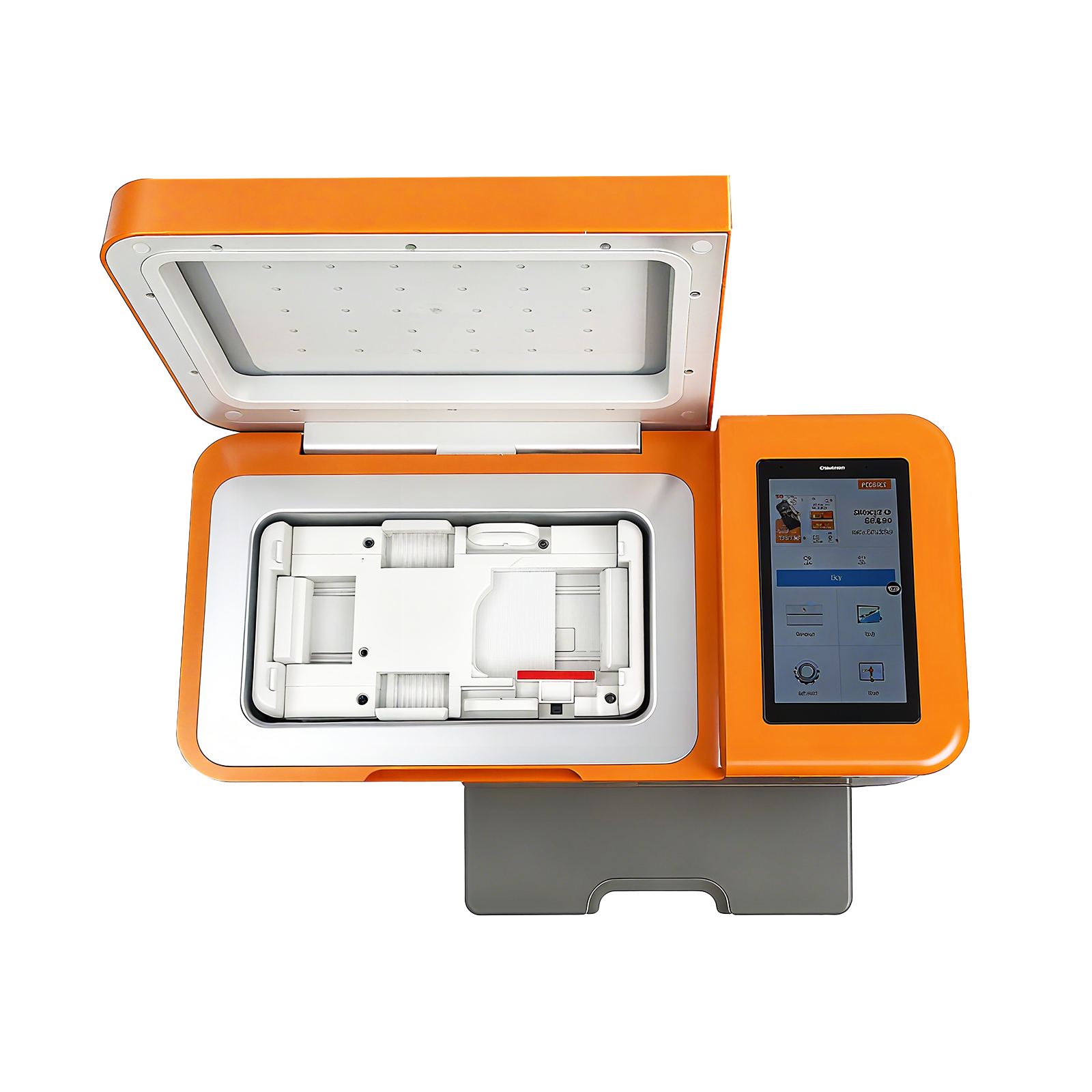
The service begins when staff identify the customer’s device and select the corresponding film pattern. The M688 can be controlled through an app or its built-in operating system, with selections displayed on a 5.5-inch HD touchscreen. This arrangement can keep basic job setup at the service counter instead of requiring a separate computer workstation.
Its model database covers more than 60,000 device models and receives daily cloud updates. Offline cutting is also supported. For a retailer, the practical value is the ability to prepare films on demand for a broad model range rather than relying only on an extensive stock of model-specific finished protectors.
Here, “design” primarily means choosing an existing device template. The approved product information does not establish free-form graphics editing as an M688 function. Stores planning to offer decorative artwork, branded decals, or customer-uploaded images should maintain a separate design process and confirm how the resulting material will enter production.
Where Printing Fits—and Where It Does Not
Printing should not be placed inside the M688 workflow unless another machine performs it. The product is identified as a three-in-one screen protector film machine, and no integrated printer is specified. This distinction matters when retailers compare an automatic sticker cutter with a true print-and-cut system.
For a standard screen protection service, printing may not be necessary: staff select a device pattern, cut the appropriate film, apply it, and complete the relevant finishing stage. For personalized printed stickers or graphic back films, the store would need a separate printer or externally printed material. Buyers should verify material compatibility and registration requirements before connecting those processes.
How Cutting, Application, and Curing Form One Service Sequence
- Receive the device: Confirm the exact model and the type of film service requested.
- Select the template: Find the matching pattern through the machine interface or app.
- Cut the film: Load the suitable material and send the selected pattern to the cutter.
- Apply the protector: Follow the standardized guided procedure to position and install the film.
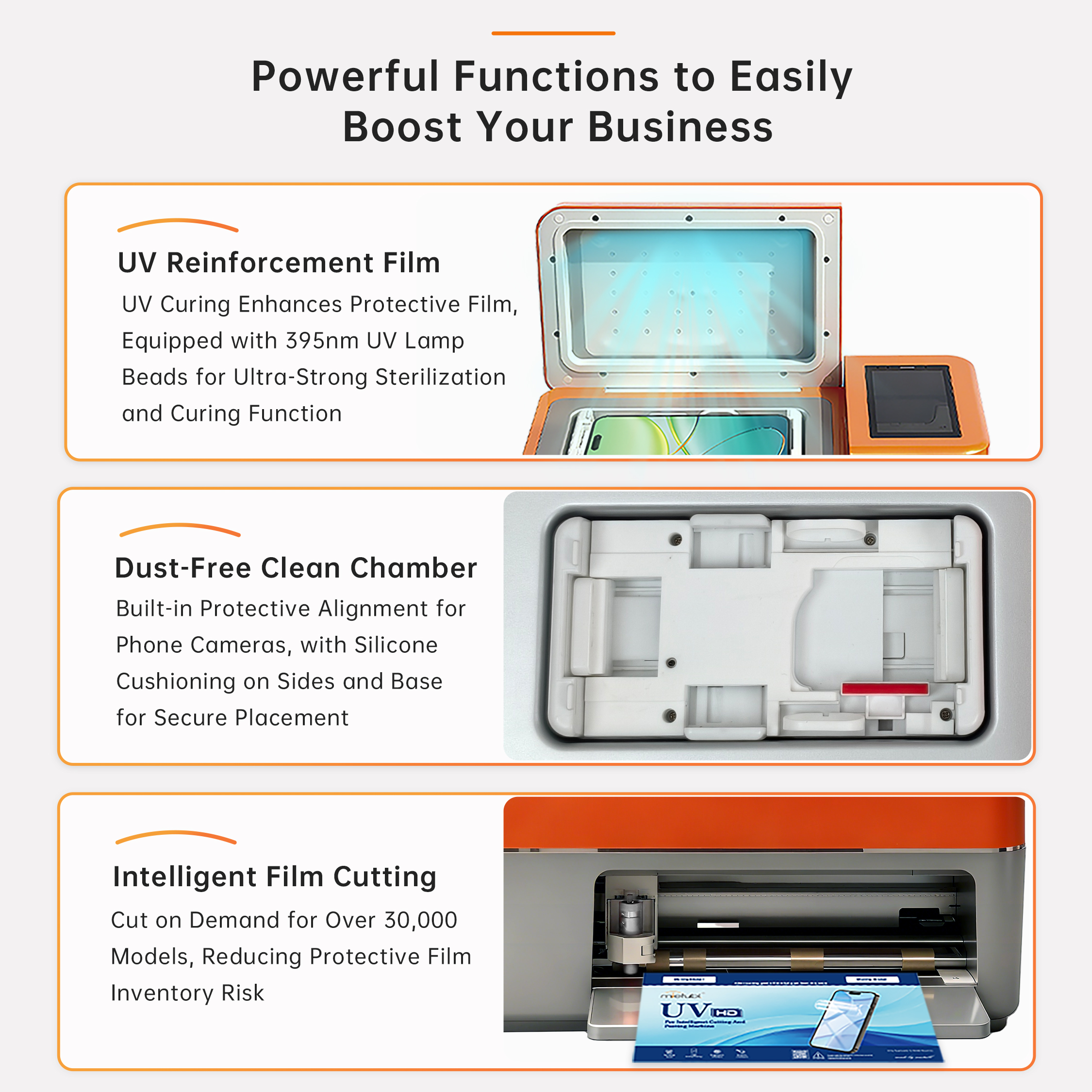
- Complete UV curing when applicable: Use the built-in 395 nm UV curing system for a compatible service and material.
This sequence can reduce handoffs between separate cutting, application, and curing equipment. It does not make the retail service unattended: staff still need to confirm the device, load material correctly, prepare the screen, inspect alignment, and check the finished result.
What Buyers Should Check Before Adding It to the Counter
Key decision criteria should reflect the actual store process rather than the machine name alone:
- Service scope: Decide whether the counter mainly sells screen protection or also needs printed decorative stickers.
- Device mix: The M688 supports cutting up to 14.6 inches, so buyers should compare that limit with the phones and tablets commonly serviced.
- Staff responsibilities: Define who selects templates, prepares devices, applies films, and approves finished work.
- Material validation: Test each intended film type through cutting, application, and any required curing stage before launch.
- Network continuity: Plan how staff will handle cloud updates while using offline cutting when connectivity is unavailable.
A distributor demonstration should reproduce a complete customer job rather than showing cutting alone. This exposes setup steps, staff touchpoints, and any external design or printing equipment required by the proposed service package.
Common Questions About the Retail Workflow
Does the MTB-CUT M688 print custom stickers?
No integrated printing function is stated in the approved product information. Custom printed graphics would require a separate printing process.
Can new store staff use the machine?
The product includes standardized guided operation intended to help new users complete film application. Retailers should still establish training, screen-cleaning, alignment, and final-inspection procedures.
What should buyers request in a workflow demonstration?
Ask to see device lookup, material loading, cutting, application, curing, and offline operation as one continuous retail job. If printing is required, include the separate printer and transfer steps in the same test.
Conclusion: Choose the Machine Around the Service Sequence
The MTB-CUT M688 is a suitable candidate when the intended counter service is template selection followed by film cutting, guided application, and compatible UV curing. It should not be procured as a substitute for a graphics printer without separate evidence. Buyers will make a clearer decision by mapping every staff action and equipment handoff from the customer request to the finished device.
About Mietubl
Mietubl is a Guangzhou-based mobile accessories brand whose name reflects its guiding idea: Make It Easier To Use, Better Life. With roots in the mobile accessories industry dating to 1998 and the MIETUBL brand registered in 2010, the company focuses on products that make everyday digital use simpler and more practical.
Its portfolio includes screen protectors, intelligent screen protector cutting machines, film materials, data cables, chargers, power banks, and audio accessories. By combining design, product development, manufacturing, and channel support, Mietubl works with distributors and retailers serving a broad range of mobile accessory needs, with products exported to more than 120 countries and regions.
For product information, samples, or distribution opportunities, contact Marketing@mietubl.com or visit www.mietubl.com.
Was this article helpful?
Your feedback helps us improve future articles.